Water You Doing Checkpoints & Saves
Survive the reload — what broke at launch, what Hotfix #1 fixed, and how to use slots safely.
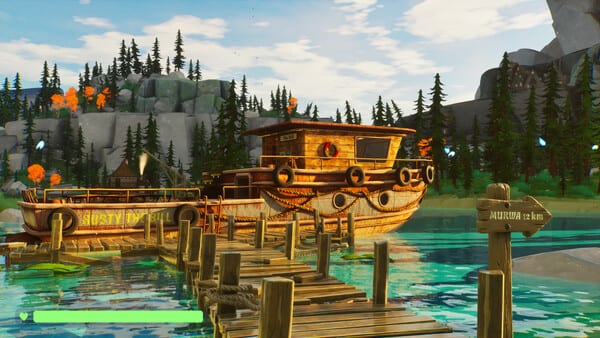
Checkpoints decide whether a chaotic voyage is a funny story or a refund ticket. At launch, Water You Doing? had a severe checkpoint bug that could damage or destroy the boat on reload and soft-lock progression. DiSolve shipped retail Hotfix #1 (“Hotfix Checkpoints!”) specifically for that failure, plus related boat reposition and damage-on-load fixes. This guide explains how saves work, what the hotfix changed, and habits that keep a co-op run from dying at the wrong dock.
If you are still on a day-one build, update Steam before anything else. Then pair this page with Troubleshooting and the dated list on Updates.
How checkpoints work
The game uses checkpoint save slots rather than a single autosave you never see. Each slot stores voyage progress: boat state, crew status, quest markers, and world flags. Demo Hotfix 1 already fixed the nightmare where every slot wrote to the same underlying file and added unique 152×152 thumbnails so you can tell slots apart at a glance.
In practice you hit checkpoints when the voyage reaches authored progress beats — docks, gates, river transitions, and recovery after a wreck. Hotfix 3 lengthened the delay after boat destruction before reload so the simulation can settle. Hotfix 4 cleaned river current at the second checkpoint and added navigation signs so you are less likely to thrash the hull while hunting the next save.
Treat a checkpoint as a commitment. Do not slam continue the instant the wreck animation ends. Wait through the extended reload delay. Confirm the boat is upright, dry enough to work, and not already missing half a stern before you start fishing again.
What broke at launch (and Hotfix #1)
Retail Hotfix #1 is the most important post-launch note for this topic:
- Fixed the main checkpoint bug that could damage or completely destroy the boat and make further progress impossible.
- Fixed checkpoints that incorrectly moved or repositioned the boat.
- Fixed loading into a boat that was already damaged or destroyed.
- Brighter nights (easier to see after a night checkpoint).
- GPU optimisations.
- Repair interactions display and work correctly again after load.
The studio apologised publicly: the issue did not show up in their internal testing, but player reports made it obvious fast. Independent reviews also called out checkpoint hiccups as a mood killer even when the physics jokes landed. If your friends still describe “reload nuked the hull,” they are describing the pre-Hotfix #1 experience — not current intended design.
Safe save habits for co-op
- Host on the strongest PC. Checkpoint loads rehydrate a physics boat. Clients already fight rubberbanding; a weak host plus a cursed load is misery.
- One person manages slots. Agree who creates and overwrites saves so you do not thrash the same thumbnail with conflicting states.
- Do not stash a loaded wallet or baited rod and instantly reload on older builds. Demo Hotfix 3 fixed wallets and rods losing contents in multiplayer storage; retail Hotfix #2 later removed physical money entirely (see Inventory & Money). Fish and tools still deserve clean storage before a deliberate reload.
- After a wreck, wait. The extended checkpoint reload delay exists for a reason. Mashing continue was a classic way to inherit a broken deck.
- Verify after load. Check hull integrity UI, bilge water, engine state, and whether repair prompts appear. Hotfix #1 specifically restored broken repair interactions after load.
- Use quest markers wisely. If optional waypoints scream after a load, hide them with Z (demo Hotfix 7 / Patch 06.09G) so you can see the next real gate.
Checkpoints versus “the joke physics”
A slap that flings a crewmate into a lake is the fantasy. A checkpoint that returns a shredded hull with no way to patch is a bug. Keep that distinction when you write Steam reviews or Discord reports. Include: host versus client, player count, which checkpoint (second river, gate, dock), and whether the boat moved on its own after load. That is the report shape DiSolve asked for during Hotfix #1.
Related systems that touch saves
- Boat repair — After a bad load, repair meshes and collision matter. See Boat Repair.
- Golden Fish revive toilet — Demo Hotfix 4 forced a real Golden Fish; do not assume a checkpoint “revive” substitutes for the item. See Golden Fish Revival.
- Items on deck — Retail Hotfix #2 added proper saving for items dropped on the boat and fixed hovering drops. Leave scrap in sensible piles, not wedged under the helm.
- Map flow — Know which lakes and gates tend to author checkpoints so you are not surprised mid-minefield. See Map & Locations.
If a checkpoint still breaks
Update Steam, verify files, re-host, and try a different slot. If the boat still loads destroyed, capture a clip and report via Steam Discussions or Discord with the steps above. Email [email protected] for a direct line. Then fall back to an earlier healthy slot rather than grinding a soft-lock.
Checkpoints should be the safety net that lets the chaos continue — not the wave that sinks you. After Hotfix #1, that promise is much closer to reality. Stay patched.
Frequently Asked Questions
Quick answers to the most common questions.
Did checkpoints really destroy boats at launch?
Yes. Retail Hotfix #1 fixed a main checkpoint bug that could damage or destroy the boat and soft-lock progress. Update before you blame your crew.
Do save slots still share one file?
No. Demo Hotfix 1 already separated slot files and added unique thumbnails. If slots overwrite each other, verify your install.
Should I reload immediately after a wreck?
No. Wait through the extended reload delay added in demo Hotfix 3, then inspect hull and repairs before sailing.
Where do I report a bad checkpoint?
Steam Discussions or Discord with host/client, player count, and which checkpoint. Mention if the boat repositioned or loaded already wrecked.